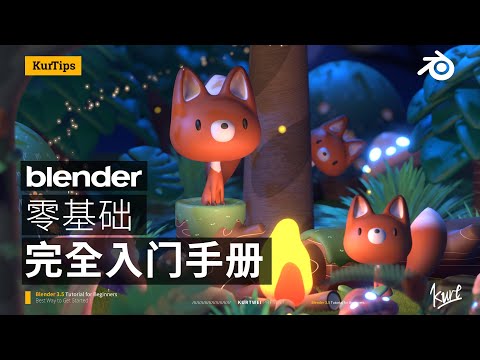
Beginners interested in learning 3D modeling and animation with Blender, regardless of prior experience.
TL;DR
This introductory Blender tutorial series focuses on "signature, construction, and basic" principles to help beginners quickly create their first 3D work. It breaks down complex tasks into manageable steps, aiming to build confidence and overcome fear and procrastination in learning 3D software.
Key Takeaways
Blender is a powerful, free, open-source 3D software that is becoming a primary choice for individual artists and beginners.
This course emphasizes a 'start with the first step' approach, aiming to shorten the learning curve from entry to practical output.
The course focuses on building confidence and a sense of accomplishment early on, which serves as a cornerstone for continued learning.
Learning complex 3D modeling is broken down into manageable steps, focusing on a limited set of tools and operations.
Instead of overwhelming students with numerous nodes, the course teaches a core set of essential nodes for material creation.
The teaching philosophy prioritizes grasping fundamental concepts over memorizing every detail, encouraging learners to revisit basics as needed.
The course structure is designed to overcome fear and procrastination by deconstructing complex tasks into simpler, achievable goals.
The instructor aims to provide knowledge appropriate to the student's current learning stage, adjusting difficulty and information density accordingly.
Questions & Answers
What is Blender and why is it recommended?
Blender is a free and powerful open-source 3D software. It's recommended for individual artists and beginners because it's free, useful, and constantly improving, especially with AI advancements.
What are the three main characteristics of this Blender course?
The course is characterized by 'start with the first step' (focusing on basics and quick feedback), 'construction goal' (breaking down complex tasks into smaller, manageable ones), and 'return to the basics' (emphasizing core knowledge over exhaustive detail).
How does this course help overcome fear and procrastination in learning Blender?
The course helps by breaking down complex models and tasks into simpler, smaller goals. It focuses on achievable steps and provides a sense of accomplishment early on to build confidence.
What will students learn in the first half-hour of the course?
In the first half-hour, students will learn the basics and complete their first work. This includes modeling, coloring, and rendering a 'girl with pearl earrings' using provided blocks.
How is the course structured and when will new chapters be released?
The course is divided into seven chapters, starting with basics and modeling. The instructor aims to release subsequent chapters within the next month.
Where can I find course reviews and download resources?
Course reviews and downloadable resources will be provided in the video description or comments section. You can download them freely.
Key Terms
Blender — A free and open-source 3D creation suite that supports the entirety of the 3D pipeline from modeling, rigging, animation, simulation, rendering, compositing and motion tracking, even video editing and game creation.
Modeling — The process of creating a 3D representation of an object or surface using specialized software.
Rendering — The process of generating a 2D image from a 3D model or scene, simulating how light interacts with surfaces.