youtube-transcript.ai

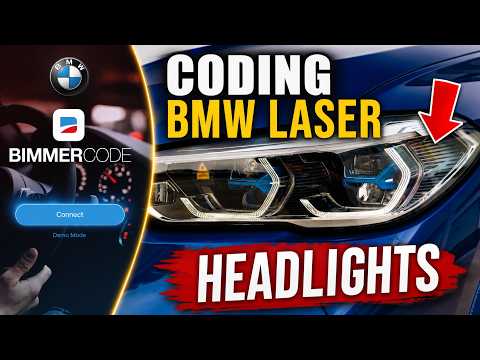
How to Code BMW Laser Headlights with BimmerCode (Step-byStep Guide)

Watch with subtitles, summary & AI chat
Add the free Subkun extension — works directly on YouTube.
  • Watch
  • Subtitles
  • Summary
  • Ask AI
Try free →

BMW owners in the US looking to unlock hidden anti-dazzle laser headlight functionality using BimmerCode.

TL;DR

Learn how to unlock anti-dazzle laser headlights on your BMW using the BimmerCode app. This step-by-step guide walks you through the expert mode settings required to enable advanced lighting features that are factory-disabled in US models.

Key Takeaways

In This Video

  1. 00:00Introduction to BMW Laser Coding

    The host explains the goal of enabling disabled anti-dazzle laser headlights on a BMW X5 M50i using the BimmerCode app.

  2. 00:25Preparation and Connection Setup

    Learn the necessary hardware, including an ENET cable and adapter, and how to properly connect your device to the vehicle's OBD port.

  3. 02:17Navigating BimmerCode Expert Mode

    The host demonstrates how to access the Body Domain Controller and enter Expert Mode to perform the specific manual coding required.

  4. 03:31Applying Specific Coding Parameters

    Follow the step-by-step process of modifying three specific control units to enable the anti-dazzle laser light functionality.

  5. 05:21Executing and Finalizing the Code

    The host initiates the coding process, warns against interruptions, and verifies the successful update of the vehicle's control units.

  6. 06:52Real-World Performance and Testing

    The video concludes with a night drive demonstrating how the laser lights dynamically adjust to traffic and road conditions.

Questions & Answers

How do I enable laser lights on my BMW using BimmerCode?
Use an OBD adapter to connect your device to the car in diagnostic mode. Navigate to the Body Domain Controller in Expert Mode, then modify specific settings in control units 3530, 3531, and 3532 as instructed before hitting the code button.
What equipment do I need to code BMW laser headlights?
You need a BimmerCode license, a compatible iOS or Android device, and an OBD adapter (the creator recommends an ENET cable with a lightning adapter for a fast, stable connection).
What is diagnostic mode in a BMW?
Diagnostic mode allows you to perform coding safely while the engine is off. You can activate it by pressing the start/stop button three times without your foot on the brake.
Is it safe to use Expert Mode in BimmerCode?
Expert Mode provides advanced functionality and carries risks. Always ensure you have a backup of your current settings before making changes, and follow specific instructions carefully to avoid issues.
What does anti-dazzle or laser light coding actually do?
It allows the headlights to intelligently adjust their beam pattern. The lights recognize dark areas to provide high-beam visibility while shifting or dimming around other vehicles to avoid blinding drivers.

Key Terms

Download or copy the punctuated YouTube transcript (Markdown)

Full Transcript

Loading transcript…
Source

YouTube video. Original: https://www.youtube.com/watch?v=NF2M8ttyfOY
Transcript captured and processed by youtube-transcript.ai on 2026-07-12.